
Watching 5 projects for new Markdown
Read at the speed your agents write.
MD Worktree is a Mac workspace for the Markdown your AI tools leave behind. Quickly view and manage every plan, spec and CLAUDE.md your agents spawn, across every project, in one window.
- CLAUDE.md
- AGENTS.md
- PLAN-tide-tables.md
- .claude/skills/tide-tables/SKILL.md
- .github/copilot-instructions.md
- .cursorrules
- docs/adr/0007-no-network.md
- REVIEW-2026-09-21.md
- .claude/commands/release.md
- TODO-NEXT.md
- research/tide-constituents.md
- CHANGELOG.md
The window
Every project. Only the Markdown.
Projects are folders you already have. MD Worktree shows the documents in them and leaves the source, the build output and node_modules alone.
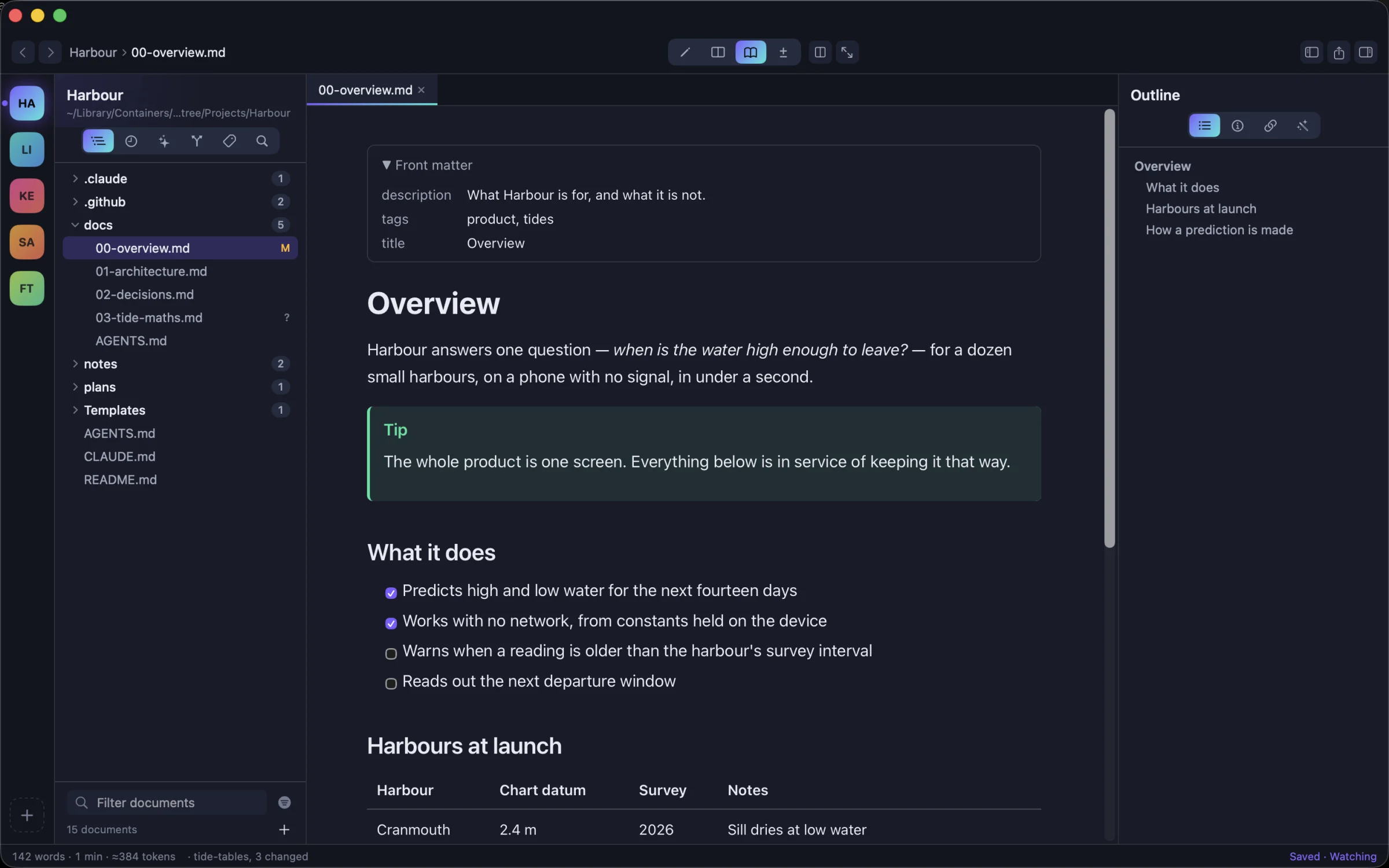
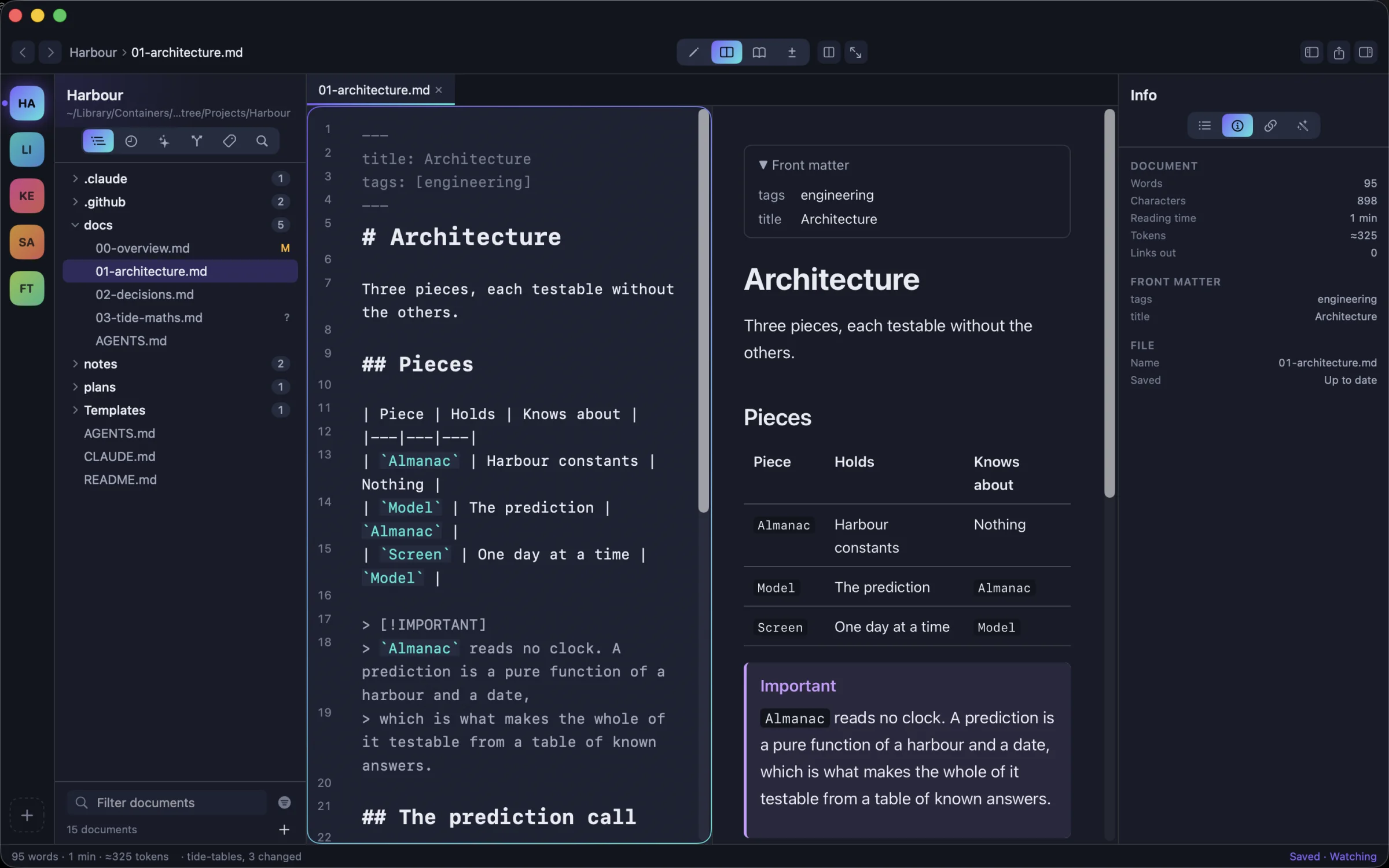
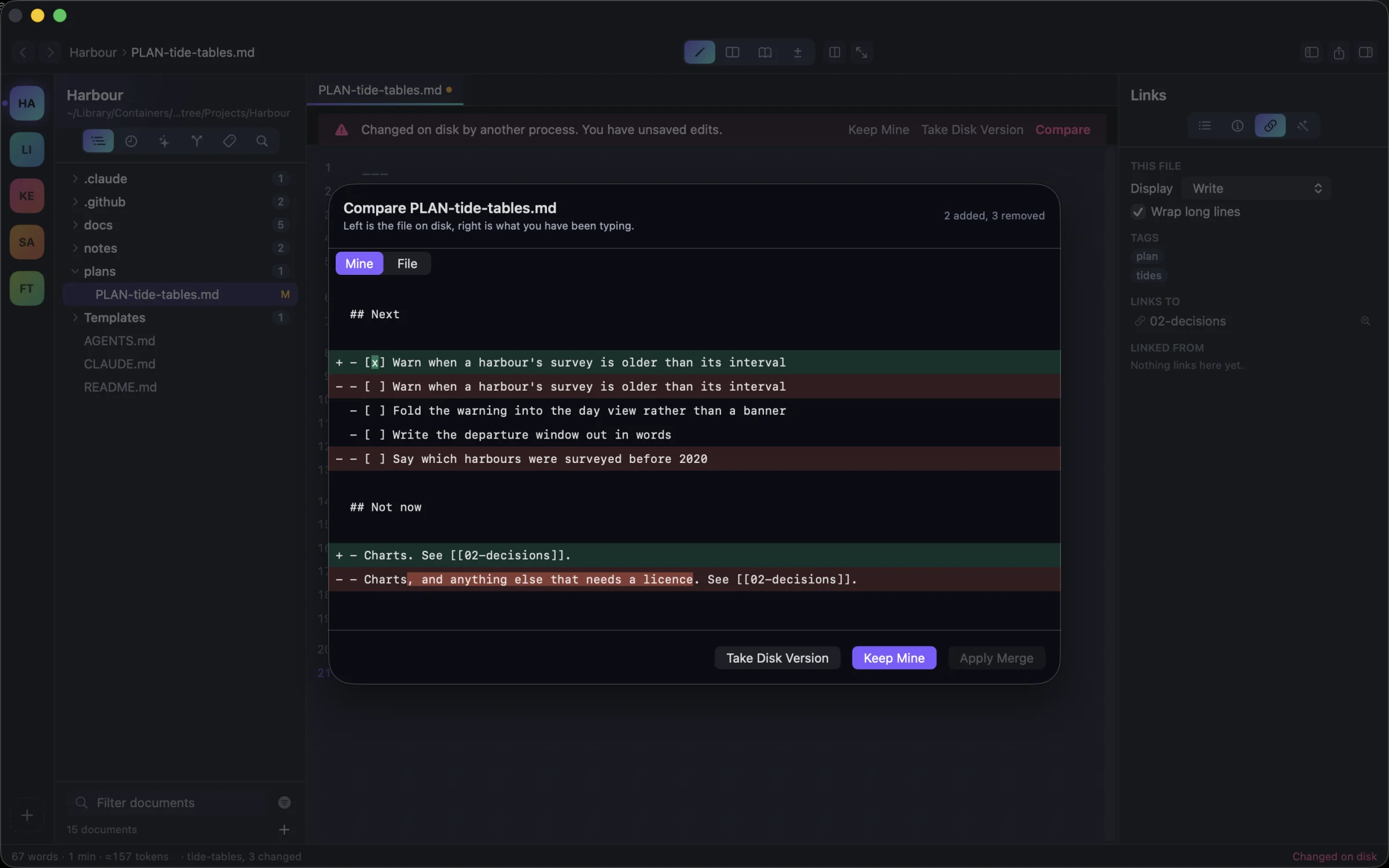
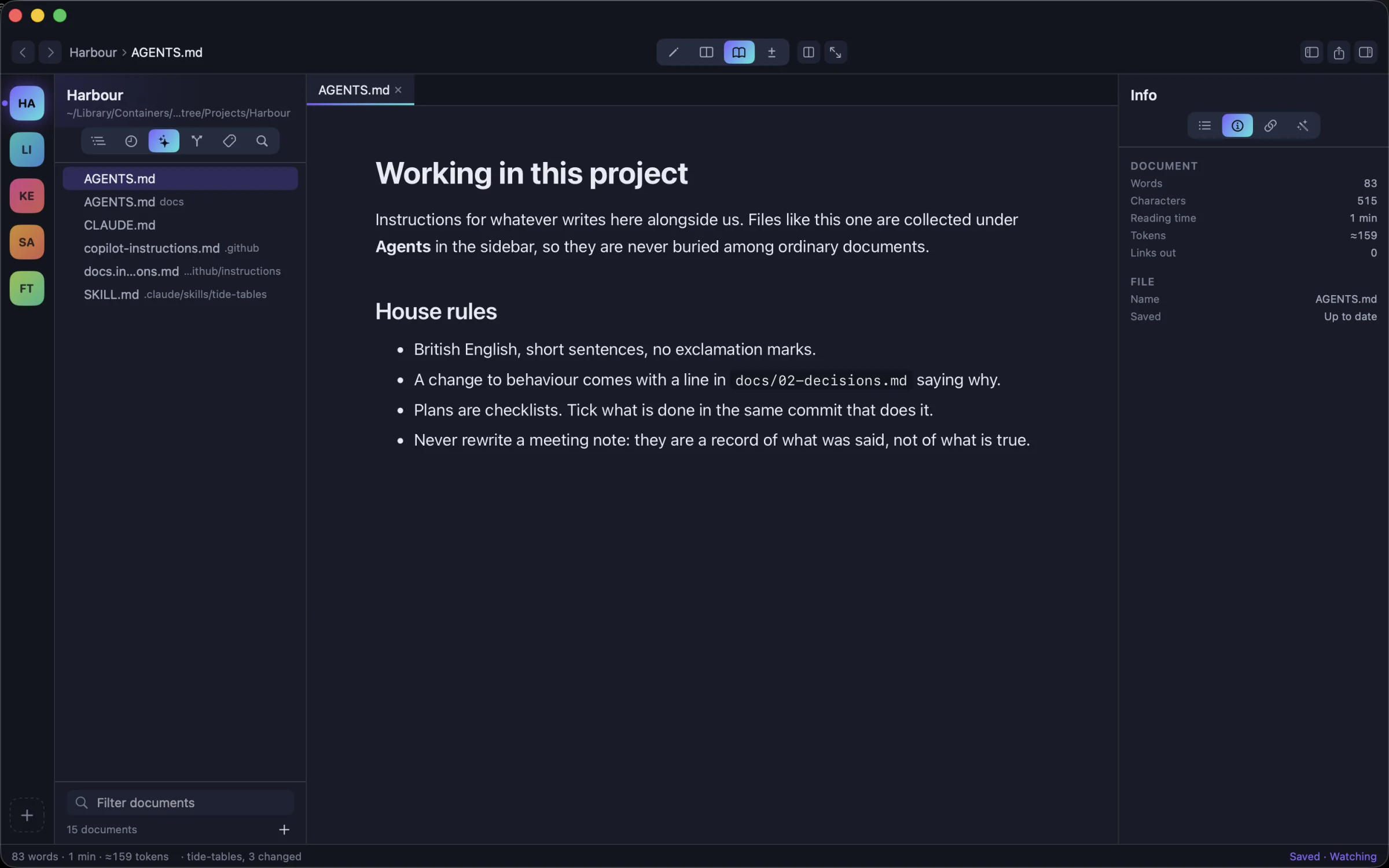
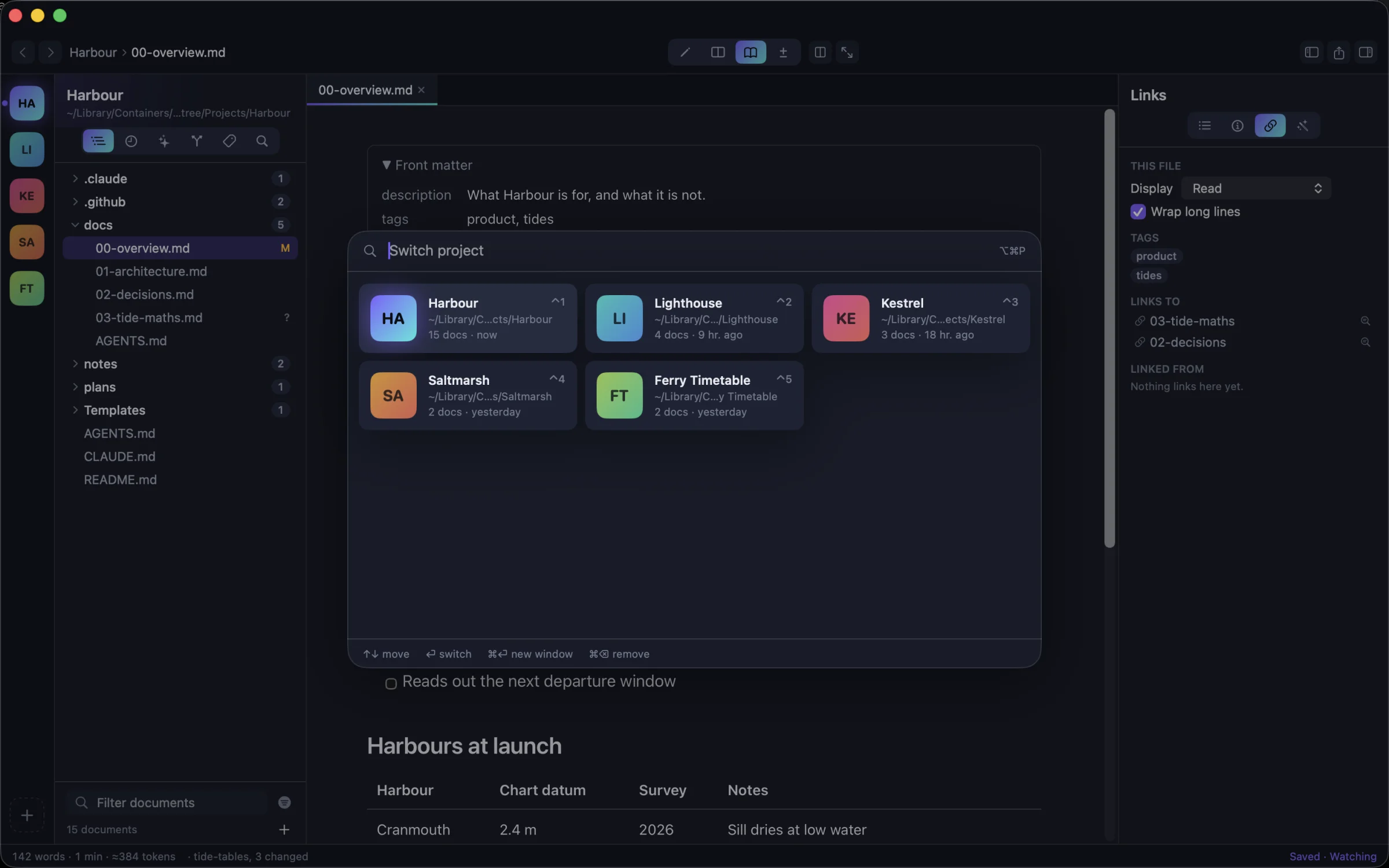
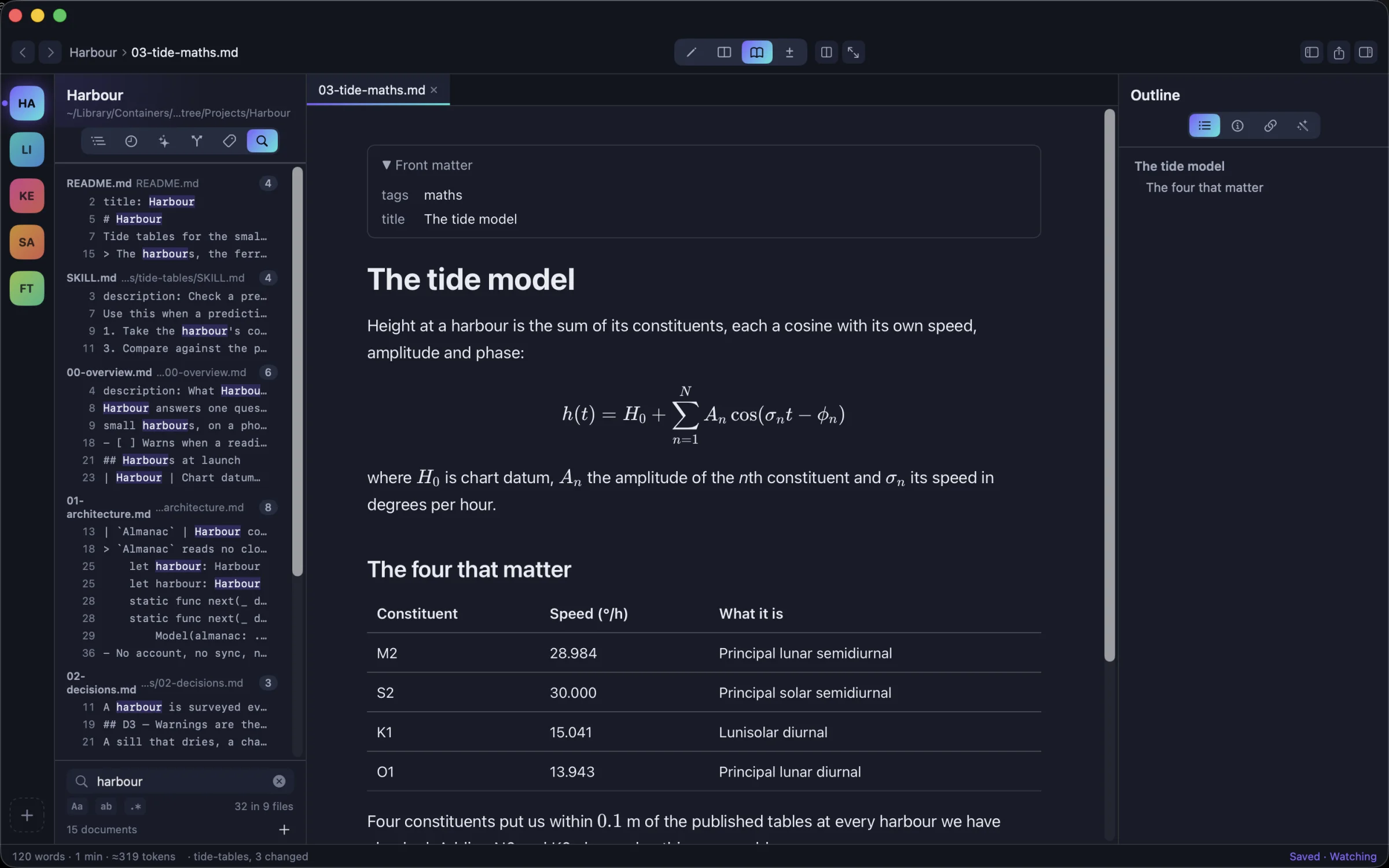
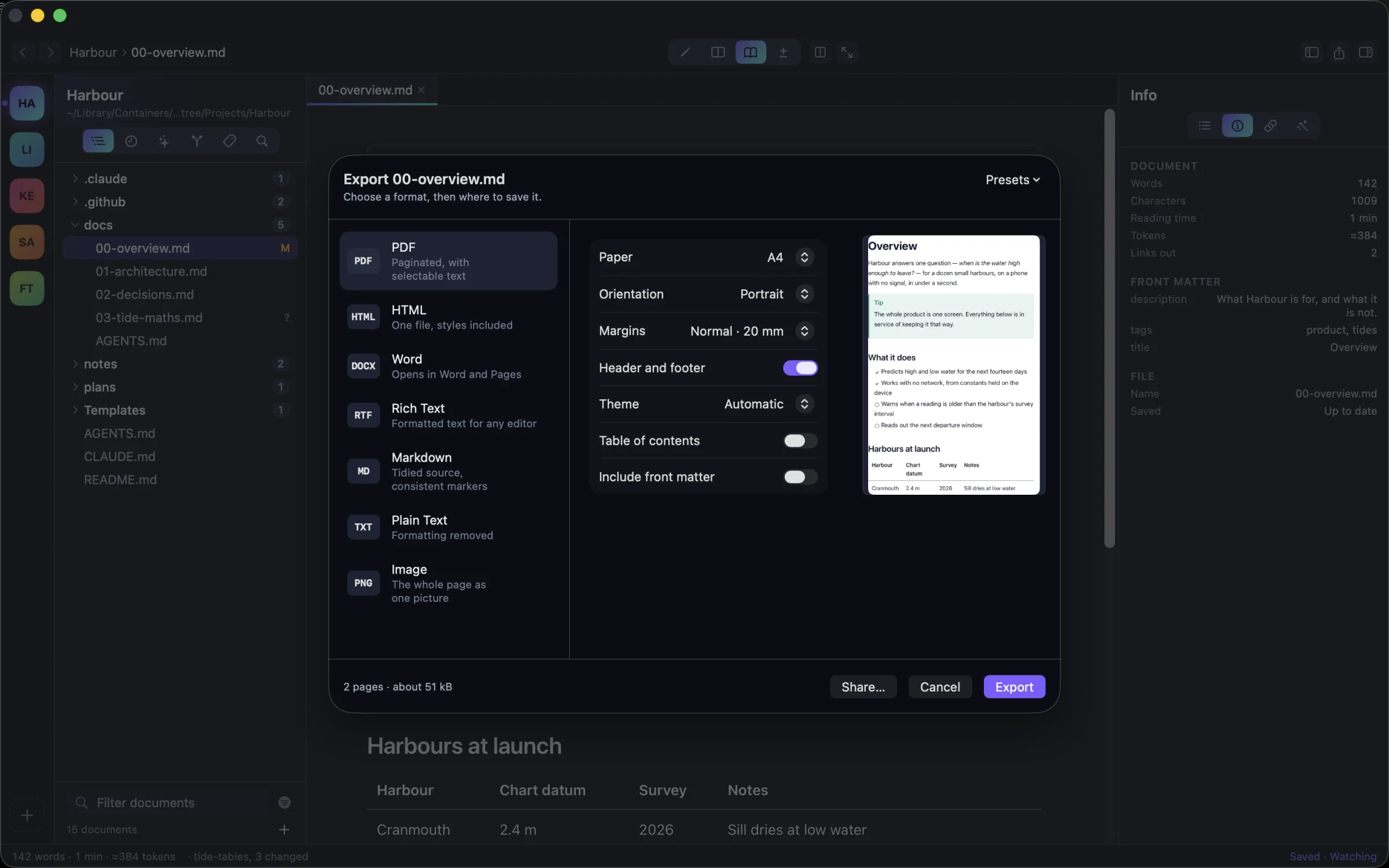
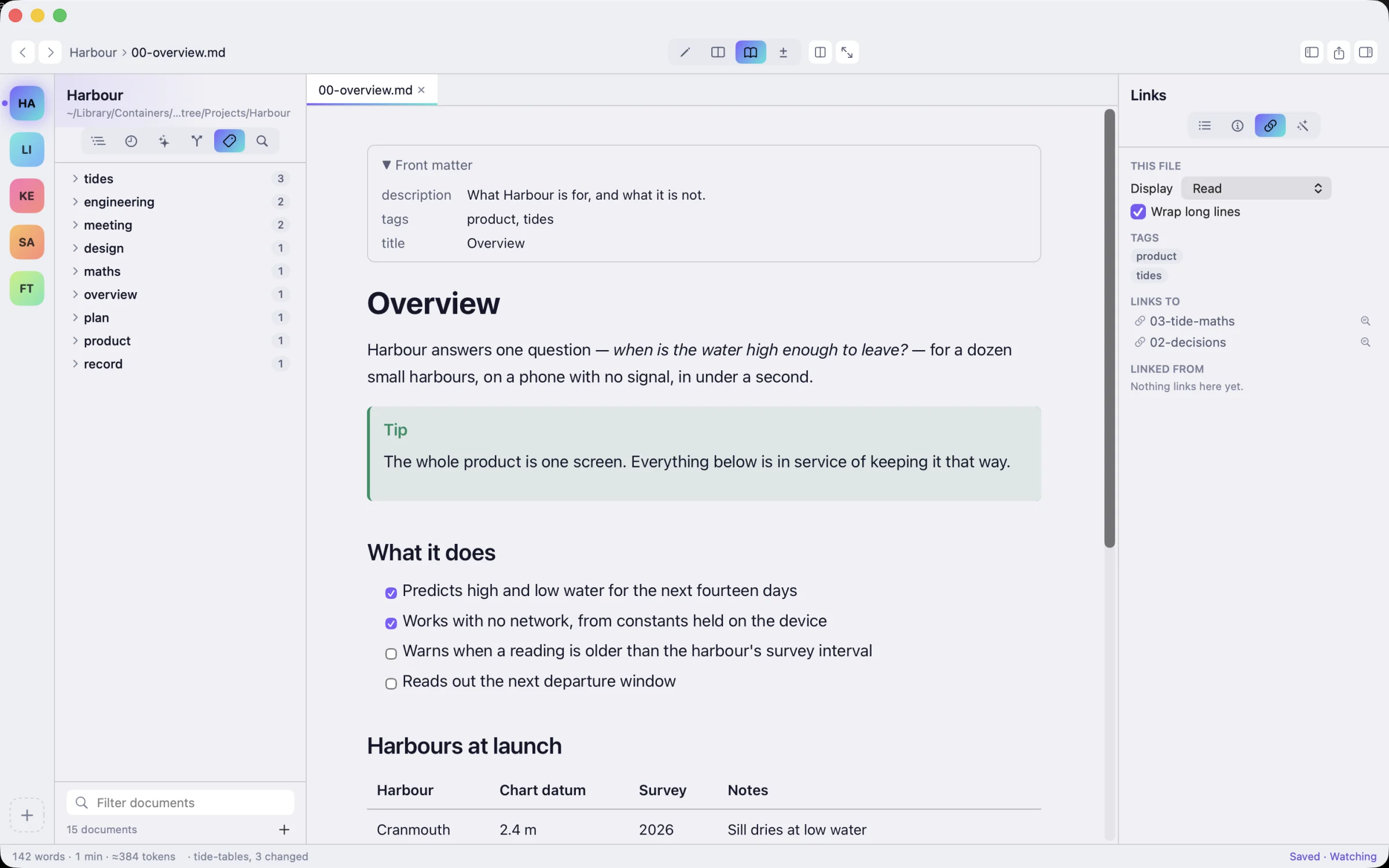
Projects on the rail, each in its own colour. The tree shows the Markdown and marks what changed since your last commit.
Switch
⌃1 – ⌃9
Nine projects, one key each. Everything else is behind ⌥⌘P and a few letters.
Filter
186 of 115,412
Files in a real monorepo that the tree shows. The other 115,226 stay out of your way.
Return
< 0.1 s
To get back to a project you have opened. It stays loaded and keeps watching its folder.
Private
0 accounts
No sign-up and no telemetry. Summaries and tags come from the on-device model.
A morning with agents
Brief, read, resolve, hand back.
The whole loop happens in one window, and none of it waits for you to find a file.
-
You brief the agent.
The Agents view lists
CLAUDE.md,AGENTS.md, Copilot's instructions and every skill'sSKILL.md, wherever they sit in the project. Check what your agents are told before they start. -
It writes. You read, properly.
New documents appear in the tree as they land, marked as new. Callouts, tables, maths, diagrams and code render beside the source, so a 400-line plan reads like a document.
⌥⌘3 Split ⌥⌘4 Read
-
It rewrites the file you're editing.
MD Worktree notices the change on disk and keeps your unsaved edits. You get a hunk-by-hunk comparison: keep yours, take the agent's, or merge. Nothing is overwritten silently.
-
You hand back the context.
Copy for AI wraps a document, a folder or the whole project in path-tagged blocks with a token estimate. Set a ceiling and it tells you what it left out.
⌥⌘C Copy for AI
3 documents ≈2,160 tokens of an 8,000 limit3 documents from an MD Worktree project. <document path="plans/PLAN-tide-tables.md"> # Plan — tide tables ## Next - [x] Warn when a harbour's survey is older than its interval - [ ] Fold the warning into the day view - [ ] Write the departure window out in words </document> <document path="docs/02-decisions.md"> # Decisions D3. Warnings are shown in the day view, not as a banner. </document>
The keyboard
Every command has a key.
Pick a modifier, or hold one down on your own keyboard, to see what it does in MD Worktree. Every shortcut can be changed in Settings.
Pricing
Free to read. Pro once.
No subscription. Try everything in Pro free for 14 days.
Free
Mac App Store- Unlimited reading and Quick Look in Finder
- Up to 3 projects
- Editing with autosave, Split, Read and Focus modes
- PDF and HTML export
- Every theme, light and dark
- Shortcuts actions
Pro
One-time purchase14-day free trial
- Unlimited projects
- Copy for AI with token counts
- Version history
- On-device summaries, titles, actions and tags
- Word, Rich Text and batch export
- Custom reading CSS and project-wide replace